
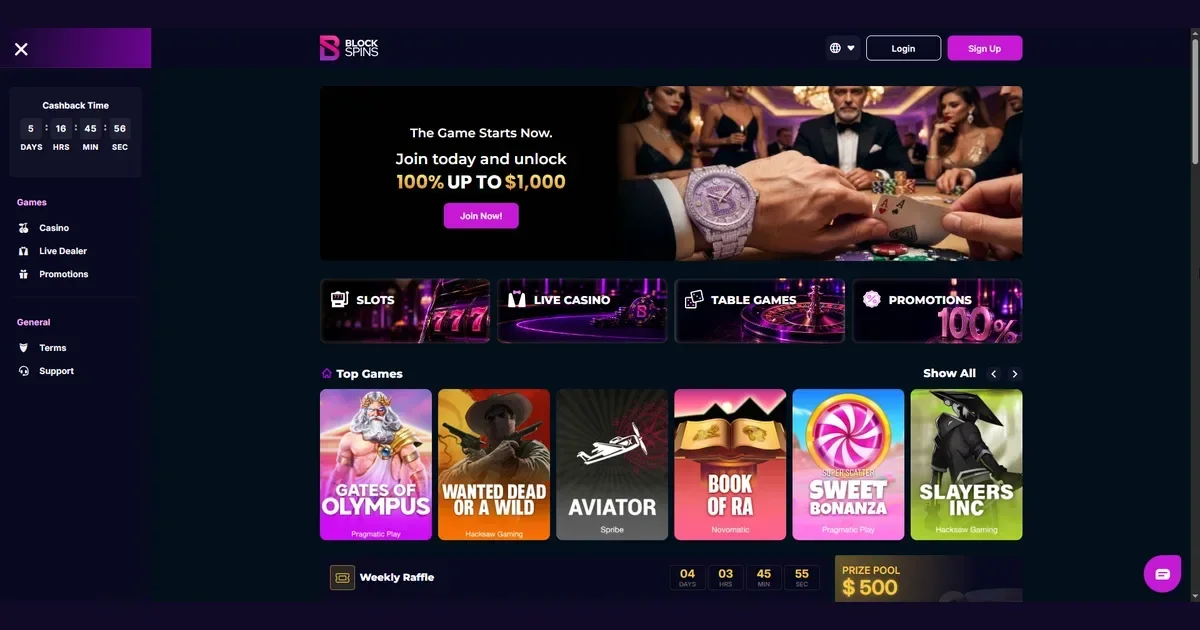
Blockspins operates a cryptocurrency casino and sportsbook where players aged 18 and over can access slots, live dealer tables, and betting markets. This page explains how to reach your account, what to do when access fails, and where to turn for help. We are an independent information portal – we do not hold your account, cannot reset your password, and have no access to your login credentials or balance.
Account restrictions and verification holds
Your account sits with the operator, Block Interactive Services, Ltda. If you cannot sign in, the most common causes are a mistyped password, an email address that does not match the one used at registration, or a browser session that has expired. Clear your cache and try again in a private window.
Accounts that have not completed identity verification may be restricted from withdrawing funds. The operator reserves the right to hold withdrawals pending further checks if rule breaches are suspected. If you see a message stating that your account is under review, contact the operator's support team at the email address they provide – not ours.
Self-exclusion is a different matter entirely. If you have closed your account for a definite period, an indefinite period, or permanently, that block is deliberate and cannot be reversed during the exclusion window. Permanently closed accounts forfeit any remaining balance and future cashback or bonus payments. If you are unsure whether a self-exclusion is in force, or if you need help with problem gambling, visit BeGambleAware.org or call the National Gambling Helpline on 0808 8020 133 (free, 24/7).
Reaching your account on desktop and mobile
Blockspins markets itself as a browser-based platform with instant registration. You sign in through the operator's own website, entering the username and password you set at registration. The site is available in English, Deutsch, Español, Português, and Français, and the login route is the same across all versions.
The operator does not publish details of a dedicated mobile app, so access on a phone happens through the same browser interface as on desktop. If you are using a tablet or smartphone, ensure your browser is up to date and that JavaScript is enabled – the site will not load correctly without it.
Once signed in, your account displays your balance in the cryptocurrency you deposited. The operator processes withdrawals in the same currency as the deposit, and all deposits are subject to a minimum 1× wagering requirement before any withdrawal request can be placed.
The sign-in route and what you need
The operator describes its registration process as "instant" and privacy-focused. Usernames must not impersonate another person, infringe trademarks, or be offensive, racist, vulgar, or obscene. At sign-in, you provide the username – or the email address linked to your account – and your password. There is no mention in the operator's terms of two-factor authentication, biometric login, or one-time codes sent by SMS, so the process is straightforward: credentials in, access granted.
If your password contains special characters, check that your keyboard layout has not switched. A common failure cause is a password typed on a different keyboard language setting from the one used when the password was first set. Caps Lock is another: passwords are case-sensitive, and a single uppercase letter in the wrong place will refuse entry.
Password recovery through the operator
Forgotten your password? The recovery route runs through the operator's own site, not through this portal. Look for a "Forgot password" or "Reset password" link on the login screen. You will be asked to enter the email address registered to your account. The operator will send a reset link to that address – check your spam folder if it does not arrive within a few minutes.
Never send your password to anyone, including the operator's support team. No legitimate service will ask for it. If you receive an email asking you to confirm your password, ignore it and report it as phishing. The operator's official contact address for customer support is given on their own site – not on ours – and any account-related query should go there, not to [email protected].
If you no longer have access to the email address on your account, contact the operator's customer support team directly via their live chat or the email address they publish. They may ask you to verify your identity before making changes to the account.
Common failure causes and how to fix them
Beyond wrong credentials, the next most common issue is a regional block. The operator prohibits residents of Aruba, Austria, Bonaire, Curacao, French Guiana, French Polynesia, Guernsey, Gibraltar, Hungary, Isle of Man, Jersey, Liechtenstein, Luxembourg, Martinique, Reunion, Slovakia, Mayotte, the United States, Turkey, and Poland from opening or using an account. If you are physically located in one of those territories, access will be refused – using a VPN to circumvent the restriction is a breach of the operator's terms and can result in account closure and forfeiture of funds.
A browser cache problem occasionally prevents login. Clear your cookies and site data for the operator's domain, then restart your browser and try again. If you are using a browser extension that blocks scripts or tracking, whitelist the operator's site – some casino platforms will not function with privacy extensions enabled.
Accounts that have been inactive for six consecutive months are subject to a balance deduction under the operator's terms. You are notified by email 14 days before the deduction takes effect, and you can reactivate the account by making a deposit (which must be wagered 1×), placing a wager, or initiating a withdrawal. If you have not used your account in a long time, check your email for any such notification before assuming the login itself is broken.
Multiple accounts and chat conduct
Creating more than one account per household, IP address, or subnet is forbidden. The operator discards duplicate accounts without warning, and users forfeit any right to refunds. If you share a home or a connection with another player, ensure each of you registers only once and that your usernames and email addresses are distinct.
Racism, insults towards staff, advertising in the chat, threats, or harassment can result in an account ban. The operator's terms are explicit: behaviour of this kind may lead to a permanent block and confiscation of funds. If your account has been closed for conduct reasons, the decision is the operator's and is not reversible through this portal.
Where support is
For anything related to your account – login trouble, verification, deposits, withdrawals, bonus activation, or technical issues – contact the operator's customer support team. They offer a live chat button on the website and can be reached by email at the address they publish on their own site. We do not publish the operator's support hours, so response times may vary.
This portal, blockspinscasino.org.uk, is an independent information site. Our editorial inbox is [email protected], and we answer questions about our content – not about your account. We have no access to player accounts, cannot process withdrawals, cannot override a block, and cannot reset a password. If you write to us about an account issue, we will redirect you to the operator.
If you are struggling with gambling and need confidential support, visit BeGambleAware.org, call the National Gambling Helpline on 0808 8020 133 (free, 24/7), or use GamStop for free national self-exclusion across licensed sites. GamCare and Gordon Moody also offer free help and residential treatment. Blocking software such as Gamban and BetBlocker can prevent access to gambling sites across all your devices.
Access to this site is restricted to persons aged 18 and over (18+). If gambling ever stops feeling like entertainment, free and confidential help is available at BeGambleAware.org.